Image Overlay
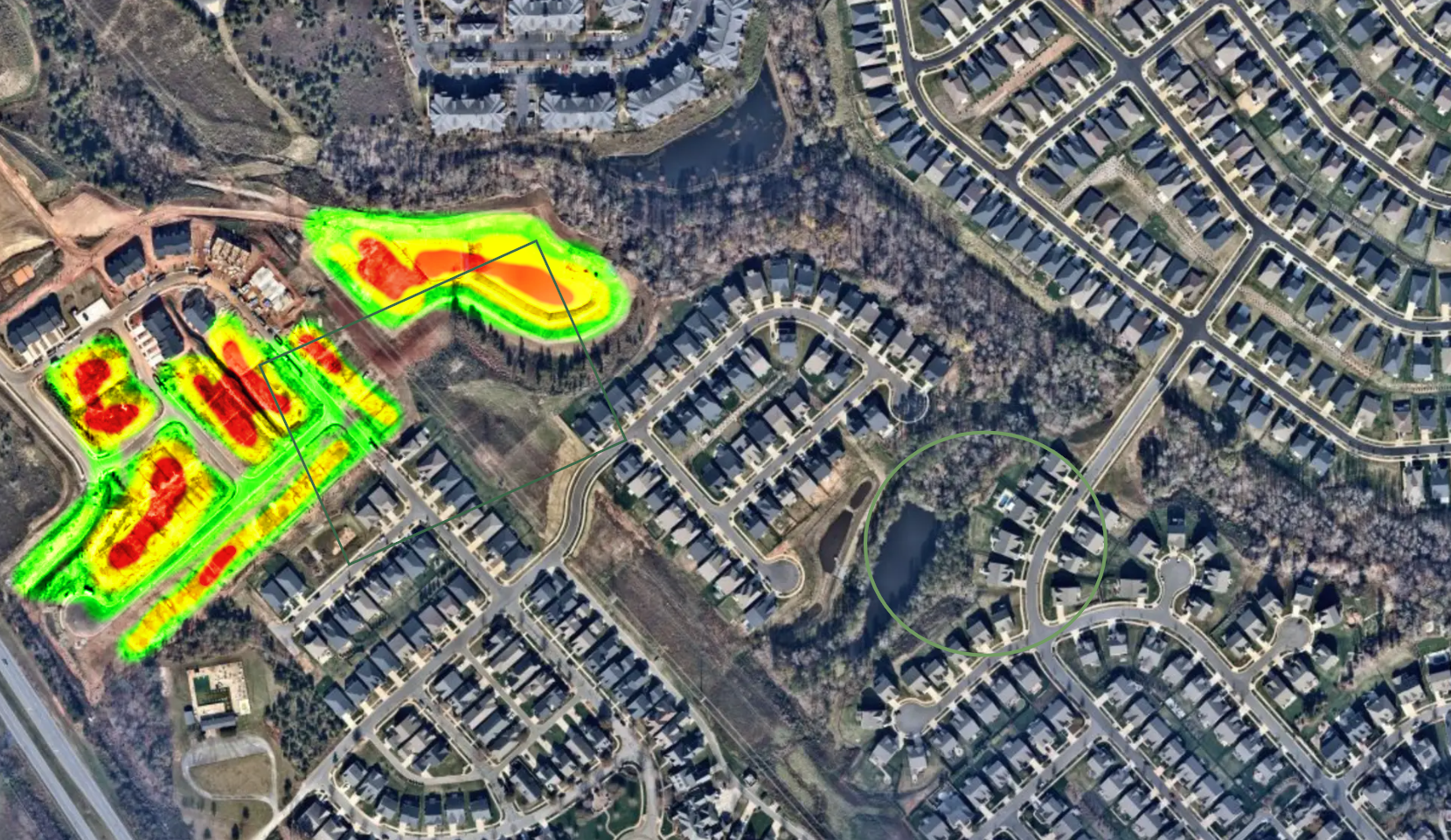
An image with one or more layers, such as a heat map or segmentation. This process includes :
    -Displaying the image, with multiple layers as images
    -Enabling/disabling the layer width selector
    -Zooming in/out on the image
it must be possible to activate/hide the different layer.
Instances
Only one instance of the Image Overlay is available right now
Configuration
JSON
   ./config.json

   "metrics": [
    {
      "name":  "MAP_OVERLAY", "scope": "dataset","type":  "image_overlay","title": "zoning",
      "description": ".....",  "tooltip": "photo identification",
      "config": {"layers":3,}
    },
Payload
JSON
    ./payload.json

    {
        "metricName": "MAP_OVERLAY",
        "values": [
        {
            "id": "01",
            "type" : "background",
            "raster" : 1
            "image" : "https://.../Image_Overlay_Layer_1.png",

        },
        {
            "id": "02",
            "type" : "heatmap",
            "raster" : 1
            "image" : "https://.../Image_Overlay_Layer_2.png",
        },
        {
            "id": "03",
            "type" : "zones",
            "raster" : 0
            "image" : "https://.../Image_Overlay_Layer_1.svg",
        }
        ]
    }
Representations
Company representation
The company level should provide a synthetic overview of the project status, including overall performance indicators. It should present information that allows you to quickly identify any issues.
Detailed data, such as image overlay, are meant for in-depth views and therefore do not belong in the company level.
Project representation
InDepth representation
It is the same representation as project